Conchango has released the second beta of their Team Foundation Server process template for Scrum. This version works with the current beta 2 release of TFS 2010. Click here to download.
Showing posts with label team foundation server 2010. Show all posts
Showing posts with label team foundation server 2010. Show all posts
Tuesday, December 01, 2009
Tuesday, October 13, 2009
Visit with the Team System 2010 Team in Raleigh, NC
Last week I had to opportunity to visit with the team working on Team System in Raleigh, NC. I contacted Jason Barile via Twitter a few weeks before and asked if I could stop by and he went all out to accommodate me and a few coworkers. I was pleasantly surprised when the meeting started and most of the Product Managers and Test Leads for the build, test, source control, and install/administration parts of Team Foundation Server were in attendance.
We talked about many aspects of VSTS 2010 during the meeting:
- How TFS Basic can be a "gateway drug" for those wanting to move from Visual SourceSafe but are not going to use all the features of the Team Foundation Server platform. The team talked about how easy it will be to upgrade from basic to the full version and that all your history will immediately be dumped into the warehouse as soon as you upgrade and your history will look as if the warehouse was installed from day one.
- There was plenty of discussion around implementing Agile practices with Team System and how much more tools will be available in 2010 to support those practices. There are plenty of new additions coming from Conchango to continue their support for Scrum in Team System.
- We spent some time talking about all the new offerings around testing that I was especially interested in since my company sold our QA product suite so there was a new gap in our offerings around automated feature testing that VSTS 2010 will fill in very nicely.
- My team was very excited that the upcoming VSTS 2010 Beta 2 release will include a go live license so some of our clients interested in early adoption can go ahead and implement this release with some support from Microsoft and a direct upgrade path to the final release.
After the meeting we went to lunch with Jason, Buck Hodges, and Adam Barr and continue our conversation. It was interesting during lunch when Jason brought up my views on exclusive check out I expressed in my interview with David Starr from the Elegant Code Cast. I explained that as a consultant I am dropped into teams of various make ups and not all of them have good practices around source control implemented even when they are using TFS. I have frequently had issues with developers making changes to solution and project files with shared check out and not being diligent when merging changes into source control. This has resulted in broken builds, missing files, etc. and me pulling my hair out. It has also been an issue with projects that have not implement good development practices like the SOLID principles and I have had entire data access layers in one class and people constantly stepping on each other's toes. I've had to adapt my source control practices to work around some situations like these that as a contractor I had little control over and no ability to change.
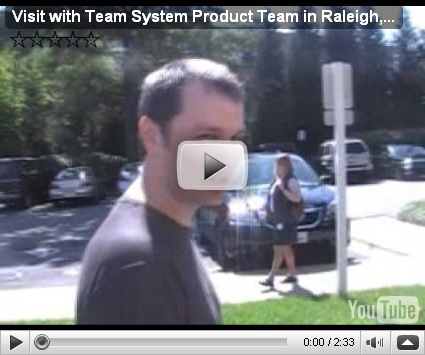
Below is a short (and poorly shot) video of the Microsoft team in Raleigh and a quick, walking interview with Buck, Adam, and Jason on their favorite features in VSTS 2010.
Tuesday, April 28, 2009
Brian Harry Presenting on Team System 2010 on Live Meeting

Brian Harry, a Product Unit Manager for TFS from Microsoft, will be presenting on the new features of TFS 2010 (codename Rosario) and what benefits it will bring to software development and project management. You can read more about Brian on his blog.
Where? https://www.livemeeting.com/cc/microsoft/join?id=G2K4BH&role=attend&pw=PN6.%3CQ%5Drb
When? Thursday, April 30th, 2009
What time? 3:30 to 4:30pm EST
Who should attend? Technical Decision Makers, Lead Developers, and Software Architects who want to see what new innovations are coming from Microsoft and impact they will make on business
Tuesday, March 31, 2009
My Latest Favorite Feature of VSTS 2010
As I explore the VSTS 2010 CTP, I find more and more to like about it. My latest favorite is the ability to setup true work item hierarchies. You could fake this with linking work items in 2005 and 2008, but now these types of relationships are first class citizens.
You can now click on a work item in a results view (or select multiple work items) and the context menu now has an option to 'Link to An Existing Item'.

This brings up a dialog that allows you to choose a link type (from choices such as Parent, Child, Predecessor, etc.) and then shows you a visual representation of the link type.

There is also a new results view that shows these hierarchies. Another great thing about these views is the ability to drag an item under another item and it automatically make the parent/child links.

My only issue is that this new 'tree view' style results view is a little murky in showing items under another item. In the screenshot above you can see the tasks and bugs related to the user story but there is not a very clear distinction. Hopefully they will fix this in the next release.
This is something I have wanted for a long time to help with Product Backlog and Sprint Backlog management inside TFS and I cannot wait to start working with it for real!
Monday, December 01, 2008
Comfortably Scrum: Will VSTS 2010 be More Agile Friendly?
I was very excited about all the new features I kept hearing were coming to VSTS/TFS 2010 (formerly Rosario). I was especially interested in some talk about adding more Agile friendly functionality into both VSTS and TFS. I've downloaded the 2010 CTP and been reviewing the Channel 9 2010 videos and here are my initial impressions:
- Iteration Planning/Backlog Maintenance (-1): This is probably my most disappointing set of features. I never found the work item queries view in Team Explorer or Excel a decent interface for organizing the Product Backlog and Release/Sprint Planning. Products like RallyDev and VersionOne (which both have connectors to TFS) had easy to use, drag and drop user interfaces that made these features more tactile. Stephanie Saad shows the new Agile planning templates in this Channel 9 video. All that was really added were some Excel sections for capacity and release number crunching that we had implemented ourselves in Excel about a year ago. Microsoft may be simply relying on ISVs like Rally and VersionOne to fill in this space but I hate to buy another product (on top of VSTS/TFS's substantial cost) to get this functionality.
- Unit Testing/TDD Support (+1): While I am not a TDD zealot I do believe in test early and test often when it comes to unit testing. For those who really wanted to write their tests first in true TDD fashion it was a little kludgy to get a unit test class written without any of the references of target classes already defined. There are some new options while creating your unit tests to automatically create your target classes and namespaces as you go. Karen Lui demonstrates this in this Channel 9 video. These features are definitely going to make writing unit tests first easier.
- QA/Functional Testing (+1): This functionality I have not gotten to play around with as much so I have really only gotten an idea of how it works from this video. The new testing application, Camano, is a stand alone application that QA/functional testers can use to execute manual test and record them for automation afterwards. There are also the other cool features for recording video while testing and saving metadata about the path the tester took to get to the bug. All this info can be bundled up in a bug report that can be sent and tracked through TFS.

- Self Documenting Code (+1): Since there is less concentration on documenting architecture and design information up front in most Agile processes, techniques for making your code/application self documenting are highly recommended. But even these practices never gave you those great UML diagrams that really showed the "big picture" of how the solution as a whole was built. But now with some of the "bottom up" design features (demonstrated here), you can generate not only the standard class diagrams, but sequence diagrams also. The Architecture Explorer is also a very cool way to browse the basic structure of any .NET solution.

- Code Quality [Adherence to Architecture/Design] (+1): Enforcing code quality in a self managing Agile team is sometimes a difficult task. Pair programming and good code reviews are good ways to ensure the developers are following the basic architecture/design of the solution. The Layer Diagram (same video as above at the 30 minute mark) is a great way to layout the basic boundaries of your application that can actually enforce that the underlying code does not cross boundaries.


So far the Release/Sprint Planning and Backlog management is the only area I found wanting. Otherwise I am very eager to start using 2010!
Subscribe to:
Posts (Atom)